
How to Take a Scrolling Screenshot on Android?
Android long screenshot guide for Android 12+, Samsung Scroll capture, Pixel Capture more, Motorola, Xiaomi, OnePlus and common failures.
A scrolling screenshot—also called a long screenshot, extended screenshot or full page screenshot—captures content below the bottom edge of the display. Android has a standard method on Android 12 and newer, while Samsung, Xiaomi, Motorola, OnePlus and other manufacturers can add their own controls.
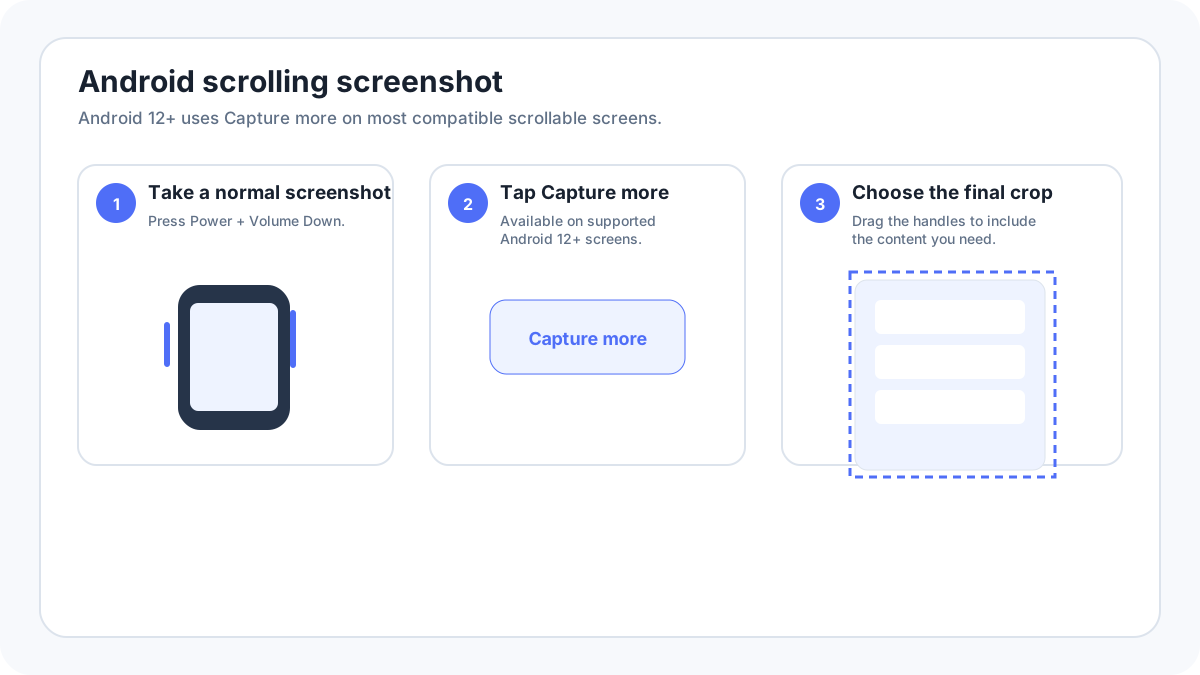
Quick answer: Android 12 and newer
- Open content that can scroll.
- Press PowerVolume Down.
- Tap Capture more beside the screenshot preview.
- Drag the crop guidelines to include the content you need.
- Save and review the long screenshot.
What Capture more actually does?
Instead of repeatedly photographing the screen while it moves, Android asks the current app for a larger representation of the scrollable content. That can produce a cleaner long image than manual stitching. However, apps are not required to expose every screen this way, so Capture more is contextual rather than permanent.
Samsung Galaxy: Scroll capture
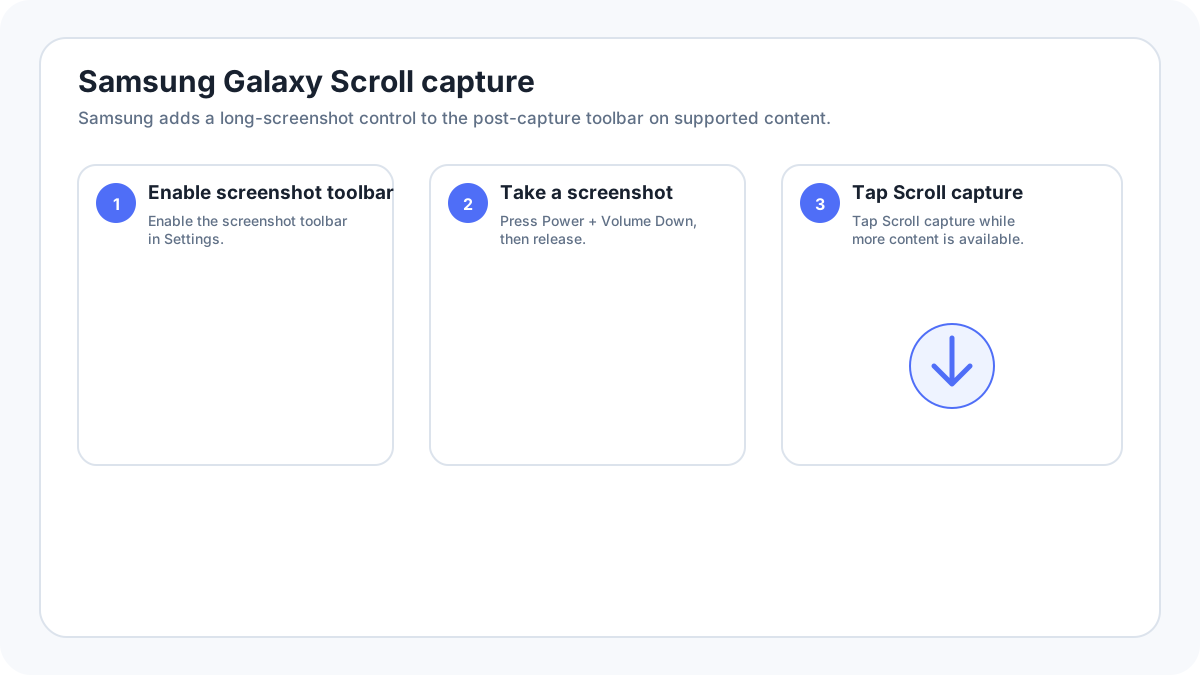
Samsung calls its extended capture feature Scroll capture. Current Samsung instructions say to enable the post capture toolbar under Settings › Advanced features › Screenshots and screen recorder (wording can vary), take a normal screenshot, then tap the Scroll capture icon. You can tap repeatedly or hold it on supported versions to continue extending the image. The icon appears only when the current content can scroll.
Google Pixel: Capture more
Pixel follows Google’s Android method: PowerVolume Down, then Capture more on Android 12+ when the current screen supports it. Use the crop guidelines to decide how much content to include.
Xiaomi, Redmi and POCO
MIUI/HyperOS can show a long screenshot or Scroll option after the initial capture. Xiaomi also documents three finger screenshot gestures when enabled. Exact post capture wording differs by software version, so use Settings search for “screenshot” if an older tutorial’s menu path no longer exists.
Motorola
Motorola software can expose extended/long screenshot controls after capture on supported models and applications. If a long capture control is missing, first verify Android version and test a basic webpage or Settings list that clearly scrolls.
OnePlus / OxygenOS
OnePlus software may label the option as expanded/scrolling screenshot depending on OxygenOS version. Take the standard screenshot first, then use the post capture option when the page is scrollable. Do not rely on one exact label across every OxygenOS generation.
Why the scrolling screenshot button is missing?
- The page does not scroll or you are already at its full length.
- The app does not support Android’s extended capture API.
- The app is protected from screen capture.
- You are running an older Android version.
- Your manufacturer moved the option into a screenshot toolbar that is disabled.
- The content is inside an embedded viewer, map, game canvas, video surface or other component that cannot be extended normally.
Why a long screenshot is blank, duplicated or cut off?
Long capture can fail on pages with lazy loaded images, sticky headers, infinite feeds, animations, ads or content that changes while scrolling. Try waiting for the page to fully load before taking the first screenshot. If the built in result is wrong, use the app’s export/print feature or a browser full page capture rather than repeatedly forcing the same long screenshot tool.
Where Android long screenshots are saved?
They normally appear alongside other screenshots in Google Photos or the manufacturer Gallery. Google Photos currently directs users to Collections › On this device › Screenshots for normal Android screenshots. Samsung places captures in the Gallery Screenshots album.
When not to use a scrolling screenshot?
- For a webpage you need as a document, Print/Save as PDF may preserve text and pagination better.
- For evidence, multiple timestamped/overlapping screenshots can sometimes be easier to authenticate than one extremely long stitched image.
- For a conversation containing private data, a long screenshot may expose far more information than intended.
- For protected media/apps, use the app’s official export or share feature.
Related Android guides
- Main Android screenshot guide
- Samsung Galaxy screenshots
- Google Pixel screenshots
- Screenshot without buttons
Verification source: Google Android Help, scrolling screenshots. Interface wording can vary slightly by OS build, manufacturer and keyboard layout.