
Where Are Screenshots Saved on Windows?
Find Windows screenshots from Snipping Tool, Print Screen and Windows + Print Screen, including clipboard only captures and sync folders.
Windows does not put every screenshot in the same place. Some shortcuts create an image file immediately, while others only copy the capture to the clipboard. Start with the shortcut you used, then follow the matching location below.
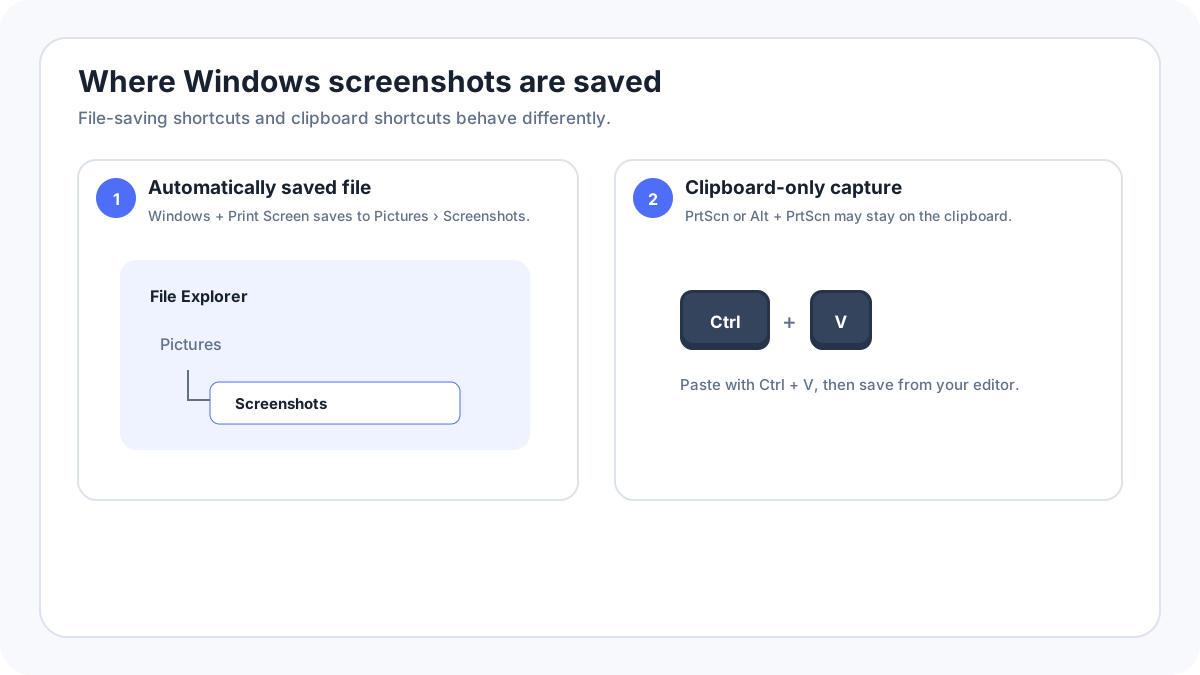
Windows screenshot locations at a glance
| Method | Typical result | Where to look |
|---|---|---|
| WindowsPrtScn | Saved image file | Pictures › Screenshots |
| PrtScn | Clipboard image | Paste with CtrlV into Paint, Word, email or another app |
| AltPrtScn | Active window on clipboard | Paste with CtrlV |
| WindowsShiftS | Clipboard plus Snipping Tool workflow | Open the capture notification or Snipping Tool |
| Snipping Tool Save | Saved image file | The folder selected in the Save dialog or configured workflow |
Where does WindowsPrint Screen save screenshots?
The normal location is Pictures › Screenshots. Open File Explorer, choose Pictures and then Screenshots. If Pictures is redirected to OneDrive or another storage provider, the folder can appear inside that synced location instead.
Why can’t you find a Print Screen screenshot?
Classic Print Screen often copies the full desktop to the clipboard instead of saving a file. Open Paint or another image capable app and press CtrlV. If the screenshot appears, save it from that app. The same principle applies to AltPrint Screen for the active window.
Where does Snipping Tool save screenshots?
Snipping Tool copies a new capture into its editing workflow and can save it as a file. Current versions can also remember saving behavior. If you opened the image but never saved it, do not assume a permanent file exists. Use Save or Save As and choose a location you can find later.
What if OneDrive changed the location?
If OneDrive backs up Pictures, your Screenshots folder can effectively live inside OneDrive. Check File Explorer under OneDrive › Pictures › Screenshots and review OneDrive backup settings. Other sync or screenshot utilities can also redirect files.
How do you find a screenshot you just took?
- Repeat the capture and watch for a Snipping Tool notification.
- Open File Explorer and sort Pictures › Screenshots by Date modified.
- Try CtrlV in Paint to test whether the image is only on the clipboard.
- Search File Explorer for image files modified today.
- Check OneDrive or another configured screenshot utility if the standard folder is empty.
Why did a screenshot disappear?
Clipboard captures are temporary. Copying something else can replace the clipboard contents, and a restart can also remove temporary history depending on settings. If the screenshot matters, save it as a file immediately instead of relying on the clipboard.
FAQ
Are Snipping Tool screenshots automatically saved?
The capture is available in the Snipping Tool workflow and clipboard, but permanent file behavior depends on the Snipping Tool version and settings. Use Save when you need certainty.
Why is there no Screenshots folder?
The folder may not exist until a method that saves there creates it, or Pictures may be redirected by OneDrive. Clipboard only methods do not require a Screenshots folder.
Related Windows guides
Verification source: Microsoft Support: Use Snipping Tool to capture screenshots. Interface wording can vary slightly by OS build, manufacturer and keyboard layout.