
How to Take a Screenshot on an HONOR Phone or Tablet?
HONOR screenshot guide with Power + Volume Down, Control Center, three finger capture, Scrollshot and Gallery location.
HONOR phones and tablets provide several screenshot routes depending on the model and MagicOS/Magic UI version. The universal first method is PowerVolume Down. Supported devices can also expose a Screenshot control in Control Center, three finger gestures and Scrollshot for longer content.
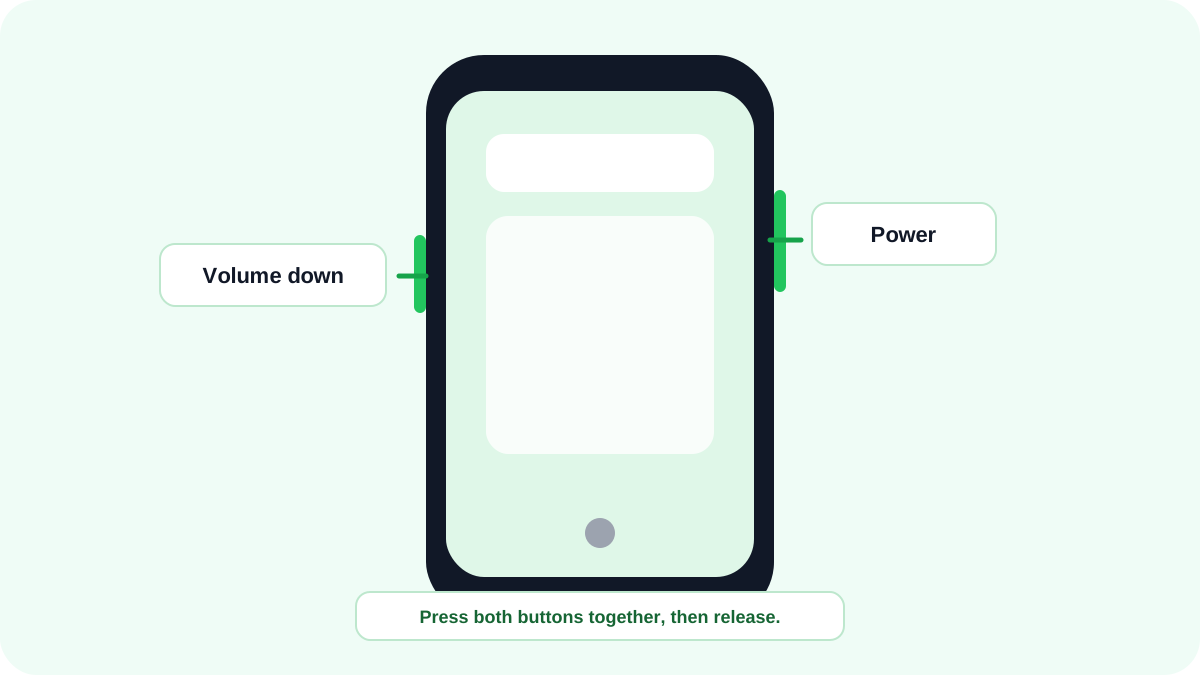
Take a screenshot with the buttons
- Open the content you need.
- Press PowerVolume Down together.
- Release after the screenshot preview appears.
- Tap the preview to edit/share, or use Scrollshot when it is offered for scrollable content.
Screenshot from Control Center
On supported HONOR software, swipe down to open Control Center and use the Screenshot shortcut. This is a useful no button alternative and is easier than a hardware combination when the phone is mounted or a button is difficult to press.
Three finger and knuckle gestures
Some HONOR devices provide three finger screenshot or knuckle gestures under Accessibility/Shortcuts & gestures. These are model- and software dependent. If the option is absent, that does not mean screenshot capture is broken; use the buttons or Control Center instead.
How to take a scrolling screenshot on HONOR?
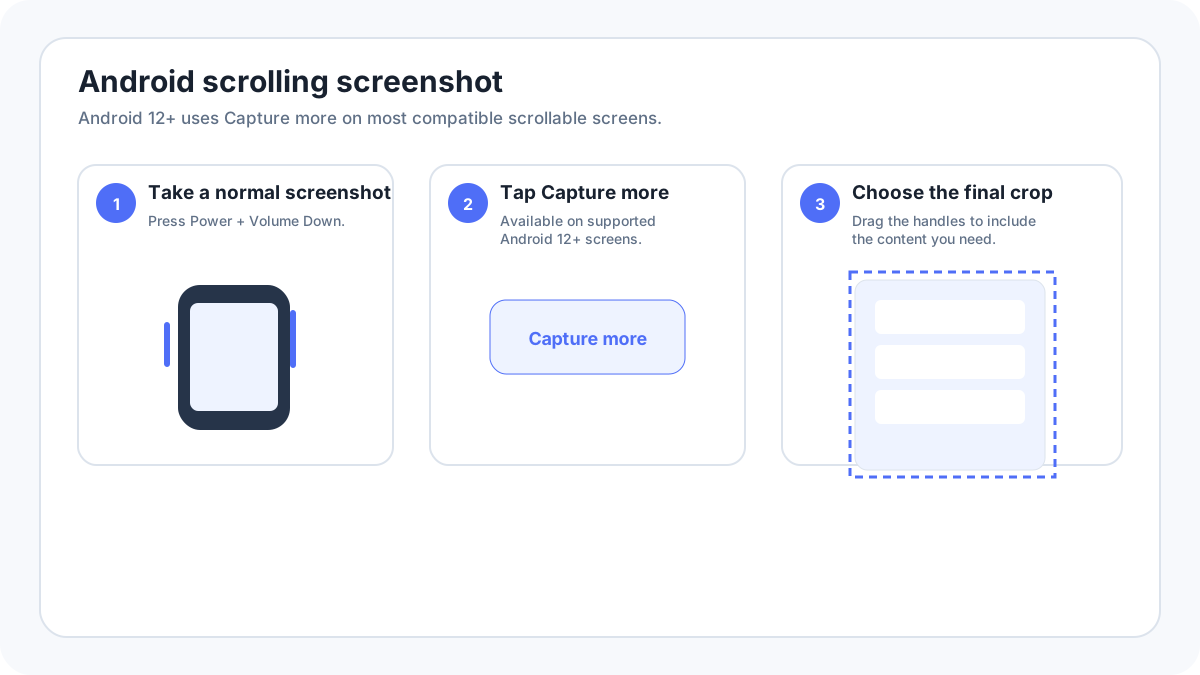
After a normal screenshot, supported devices can show Scrollshot. Use it to continue through a long page, stop at the required point, then edit/save. Some HONOR devices also support a knuckle based scrolling gesture after it is enabled. Long capture may be unavailable inside protected or non scrollable views.
Where HONOR screenshots are saved?
HONOR documentation places screenshots in Gallery by default. Look for a Screenshots album or the recent images view. If you edited or exported the image through another app, that app may create an additional copy in a different album.
HONOR screenshot troubleshooting
- Test PowerVolume Down on the home screen.
- Use Control Center if a hardware button is unreliable.
- Search Settings for “screenshot” before following an old Magic UI menu path.
- Check storage space and Gallery if the preview appeared but you cannot locate the file.
- A black or blocked capture in one protected app is usually an app restriction rather than a broken phone.
Older HONOR phones
Older searches such as HONOR 8 screenshot are better handled in one maintained HONOR guide unless the old model requires materially different controls. This avoids publishing a large set of nearly identical pages whose only difference is the model number.